
Our Website Standards apply to your Product Titles, Product Descriptions & Images.
We try our best to maintain a high-quality standard for our e-commerce platform. As such you would notice we pay attention to typos, images, product descriptions, etc. It’s not that we want to give you additional work, but we really want to ensure that your products are effectively displayed across the web, including displaying properly on different screen sizes (e.g. on all devices; tablets, mobile phones, laptops, desktops etc.) and also on both our Facebook stores.
When a product is uploaded and meets the requirements it will automatically be uploaded to our Facebook sores on both our South Market & 868.market Facebook pages. If it doesn’t meet web requirements it will not upload to the facebook stores but will be visible on the website. Also, our graphic designers are not able to utilize low-quality images when doing our online ads.
Below are some guidelines we suggest for ensuring that your product gains a wider reach through 868.market.
Minimum Product Standard
The minimum product standard is the attention to all elements of a product that a customer sees:
Product Titles:
Titles should be concise and clearly identify the item.
Tips:
- Titles need to be in Proper Case (also called Title Capitalization), i.e. all major first letters need to be capitalized. Prepositions (in, on, over, with), conjunctions (and, or, for), or articles (the, a, an) do not need to be capitalized.
- Titles must not exceed 50 characters, including spaces.
- Titles can include necessary punctuation, like hyphens (-), forward slashes (/), commas (,), ampersands (&), and periods (.).
- Use numerals: “3” instead of “three”.
- Titles must contain product-identifying information, such as “hiking boots” or “umbrella”
- Titles should contain the minimal information needed to identify the item and nothing more.
- Titles can abbreviate measurements, such as “cm”, “oz”, “in”, and “kg”.
- Titles must not contain promotional phrases, such as “free shipping”, “100% quality guaranteed”
- Don’t use subjective commentary, such as “Hot Item” or “Best Seller”
- Titles must not contain characters for decoration, such as ~ ! * $ ? _ ~ { } # < > | * ; ^ ¬ ¦
- Do not write everything in CAPITAL LETTERS.
Example: “5.5inches multicolor round bead baby band on gold filled”
Proper Case: “5.5 Inches Multicolour Round Bead Baby Band on Gold Filled”
In the example above, kindly note:
- The space between 5.5 and Inches
- The use of the word Inches and not using the symbol ” to avoid ambiguity.
Failure to comply with these requirements may cause a product to be suppressed from the website and even on internet search results. Product titles that are longer than two-three lines (or surpass 50 characters) will not be displayed properly on the web (especially on differing mobile devices such as cell phones & tablets). In addition, Facebook may block these products from being uploaded to our Facebook Store.
Product Categories:
Place items in multiple categories if applicable, and if you feel the current top-level and sub-categories do not sufficiently suit your product, please let us know. A reminder that if your product is locally made (even with foreign material), add it to the local version of the category, including the sub-categories which will now be created. For example:
Beauty & Personal Care > Hair Care
Beauty & Personal Care- Local > Hair Care- Local
Product Descriptions:
Every product must have a product description. Include a concise short description and put the full description in the Descriptions text box. When the Descriptions box has text, the tab will show underneath the short description. See the example below of short description & description for a product:
https://868.market/product/king-rich-vegan-protein-powder-by-ria-vegan-foods/
Product Images:
The standard for images are as follows:
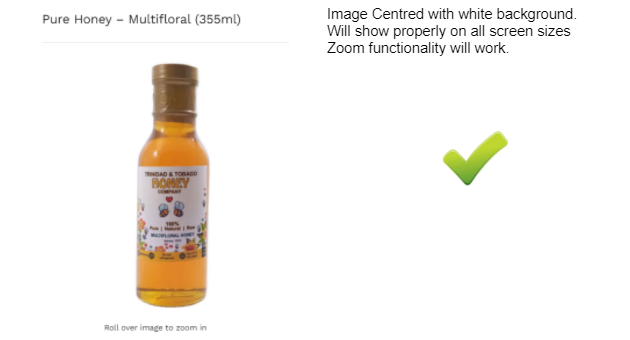
- Images must be square, minimum 700px and maximum 1000px
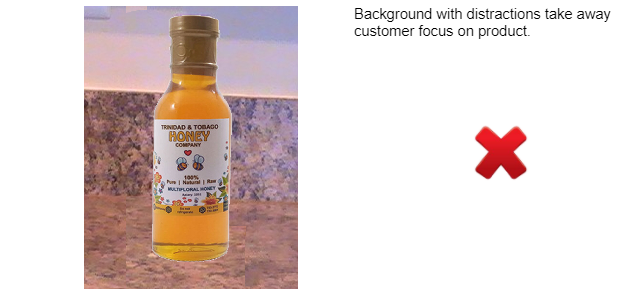
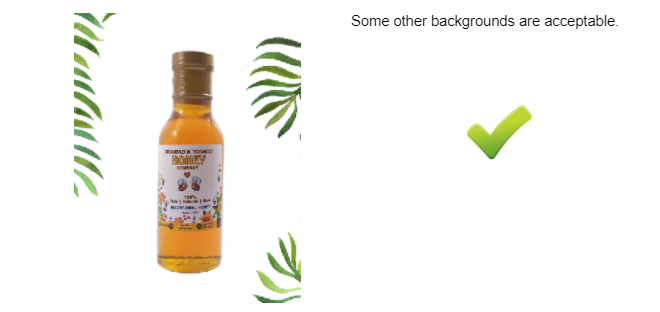
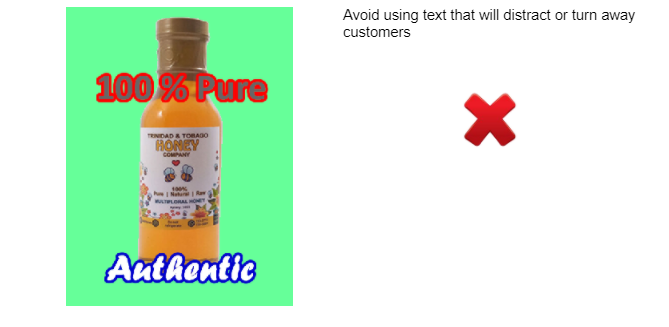
- Images must be on a white background
- Images must be centered on background with room on margins for resizing to thumbnails
- Images must be in .jpg format, no .png or other formats
- Images must be optimized for web, i.e small file size, between 35KB to 75KB. Absolutely no larger than 100KB but few should be this large
- All current images MUST be updated to the above specs by each vendor
- Images can be photographed, or sourced online and edited to the above specs by vendors themselves OR…
- 868 Web Team provides photography and editing, or editing online images services for a fee (to be advised)
White Background
Importance of a white background
Can use any background but the website standard shows images on a white background, with no or little image distraction to get more views which leads to more sales.
Image size – minimum 700px X 700px. Square with enough space around so that the image shows properly.
Please ensure that photographs used do not violate anyone’s copyright. Photographs can be used from those which the manufacturers may have sent to you or which you have taken or have had taken for you by a photographer. Kindly desist from using images from other ecommerce sites or websites in general—-. Our team is able and willing to assist you in photographing your products at a very reasonable cost.
Properly displayed image:

The above are only recommended guidelines.
You can bring your products to any upcoming South Market event & we will photograph your product for TT $5 per image. Please notify us in advance so we can make the proper arrangements on our end.
Variable Products
Most products are simple (non-variable), but if you have products with multiple attributes like Size and Color, these are more tricky to set-up. Please follow this guide, which is the documentation of the software that we use to create variable products:
https://wedevs.com/docs/dokan/tutorials/how-to-create-a-variable-product/
This also gives full access to the official documentation that would be helpful to all vendors that should answer many questions before having to ask the web team.
The 868 Support Team will also personally coach vendors on this and we also have further tutorials and tutorial videos to assist online sellers with creating variable products.
Stock management & Backorders
All products that a customer sees on 868.market are deemed to be immediately available, and at no time should there ever be an instance when an item ordered is not in stock and cannot be delivered. With potentially hundreds of vendors, the consequences of such a customer experience can have detrimental effects to the entire marketplace. The reason we do this is to avoid disappointing customers and to avoid at all costs having them experience a negative shopping experience.
It is therefore recommended that vendors manage stock by using the Stock Quantity field and perhaps keeping a buffer as a precaution. For example, if the quantity on hand is 10, then put a quantity of 7 to be safe. In keeping with the immediate availability, please select Backorders to ‘Do not allow’.
Social Media & Facebook Shops
Following us on social media makes it easy for us to tag you particularly when we have ads highlighting your product or your online store. It also makes it easier for us to tag you when a product is uploaded to our Facebook Shops.
Social Media Ad:

Facebook Shops:
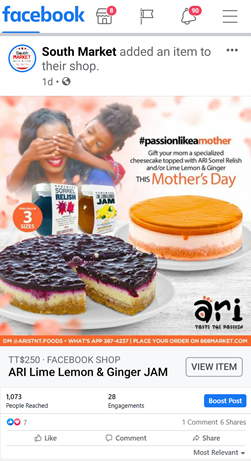
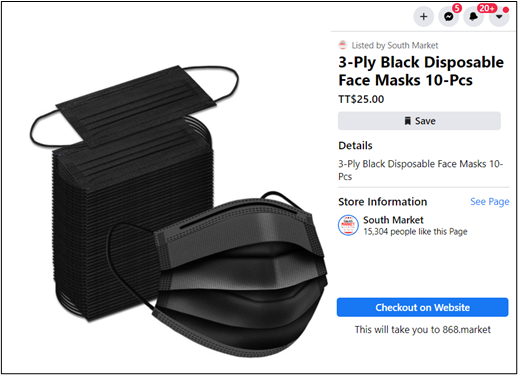
Products uploaded that meet the minimum requirements above and uploaded to the 868.market website are automatically displayed on both our South Market & 868.market Facebook Shops.
Facebook Shops give you a wider reach
Connect with us Via our Pages below:
Facebook Pages:
Our Instagram Pages:
www.instagram.com/southmarket868/
Website Don’ts
- Avoid placing orders for your customers. The website is to be used as a shopping service with delivery and not a delivery service.
- Avoid uploading advertisements as a product on the site. Every item has to be uploaded with a price and uploading an advertisement/flyer/brochure with a price will confuse customers. If your ad pertains to a product you can upload it under that specific product. If you need assistance with this please let us know.
Vendor Support – Contact Us
Please be reminded that you can submit your requests for help or any queries you have via our Contact Admin feature available in the Vendor Dashboard area or via the Vendor Support feature accessed on 868 website or via the following link: https://868.market/contact/
Once your request is submitted a team member will contact you to assist further.
Other Policies
Online Sellers must read & abide by the following policies:
For more information you are encouraged to read our other policies listed below:
As we keep abreast of new software, ever-evolving technologies & in our attempt to keep updated, please note that all guidelines and policies are subject to change.
Questions or Concerns
If you have any questions or concerns please submit them via the link below and we will respond within 48 hours: